 Steve
Publishing and versions
Publish a survey, fix what blocks it and see what changed between versions.
Field users only get published surveys. Publishing creates a numbered version that never changes, so a visit always runs the exact questions it was assigned with.
Publish a survey
Click Publish in the builder header. The panel says which version you are about to create and lists anything to fix first.
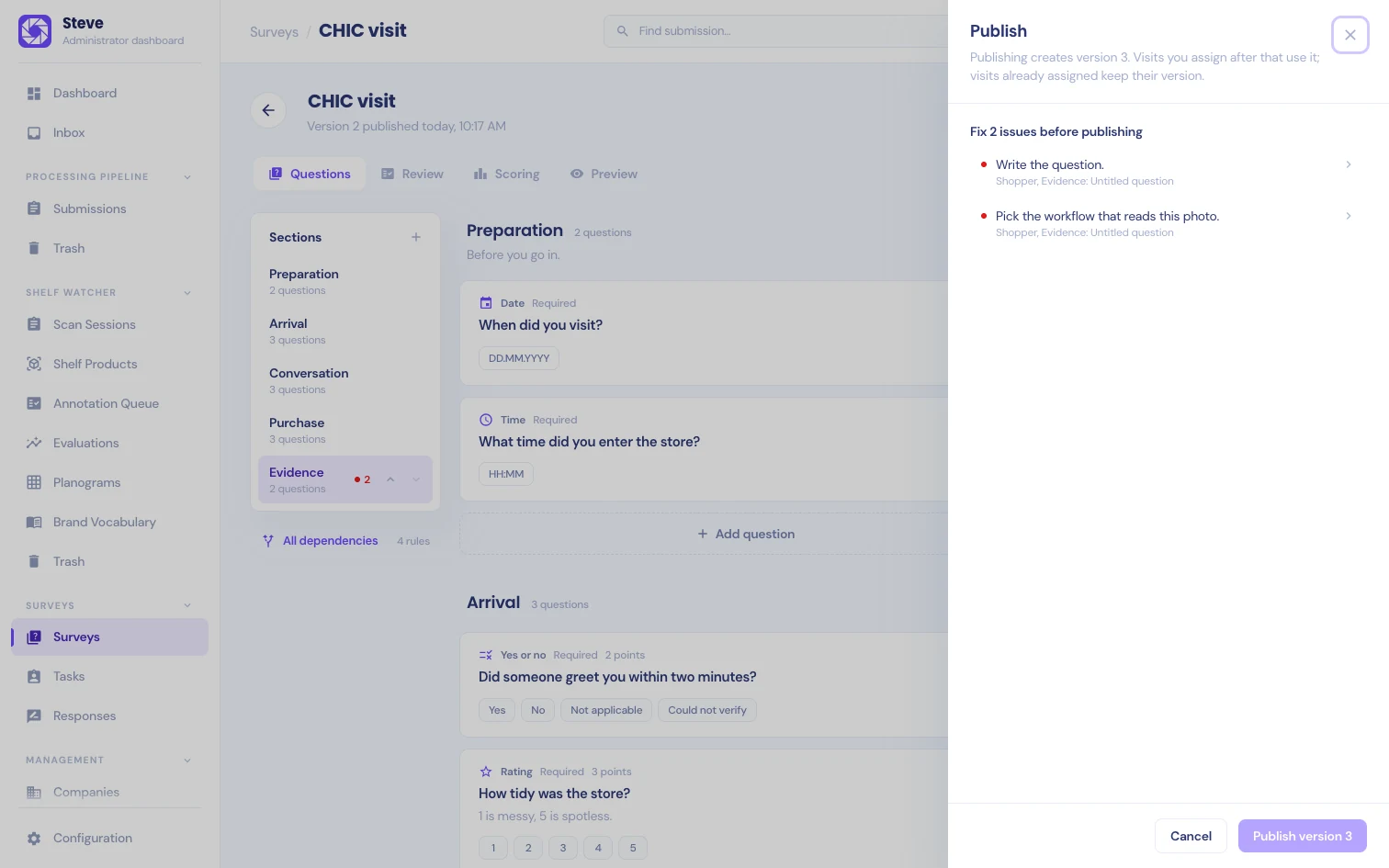
- Fix 1 issue before publishing (or more) lists every blocking issue in plain words, with where it is, for example "Shopper, Evidence: Untitled question". Click an issue to jump to that question.
- Worth a look lists warnings that don't block publishing.
- Ready to publish means nothing blocks it. Click Publish version 1 (or the next number).
Publish waits while a change is still saving. If a save failed, retry it or reload before you publish.
What blocks publishing
- A questionnaire with no questions. Both the shopper and the verifier questionnaire need at least one.
- A section without a name, or a question without wording.
- A choice question with an answer that has no label.
- A rule that points at a deleted question or answer, or that no longer fits the type of the question it depends on.
- Rules that loop back on themselves through other rules.
- A required question that can never be shown because its rules can never all be met.
- A scored question that isn't required, or points or weights outside their range. See Scoring.
- Points in the verifier questionnaire.
- A rating scale whose top is not above its bottom, or an amount without a three-letter currency code.
- A photo or receipt question without a workflow, or with a workflow that is switched off, doesn't accept photos or doesn't read document photos.
- More than 30 sections, 200 questions, 50 answers per question or 300 characters in a title.
- AI can suggest set on a photo or receipt question.
- Visit recording set to Optional or Required without a transcription workflow, or with a workflow that is switched off, isn't an audio workflow, isn't granted to any company, or doesn't accept up to 60 files and need only 1. See Visit recording.
- Required recording without a reason, or a reason over 140 characters.
Warnings
- A section with no questions yet.
- A photo or receipt workflow that delivers its results on its own. Turn its delivery off so only accepted visits reach your client.
- "Recording is off, so AI suggestions use receipts and photos only." when visit recording is off and some questions have AI can suggest on.
Versions
A published version never changes. Each new version gets the next number: version 1, version 2 and so on.
Steve tracks the shopper and verifier questionnaires separately. If you publish after changing only the shopper questionnaire, the new survey version uses a new shopper questionnaire and the same verifier questionnaire as before. If nothing changed at all, publishing doesn't create a version and tells you "Nothing changed since version 2" (or whichever version is current).
When you edit a published survey, your changes go into a draft. Field users don't see the draft until you publish it.
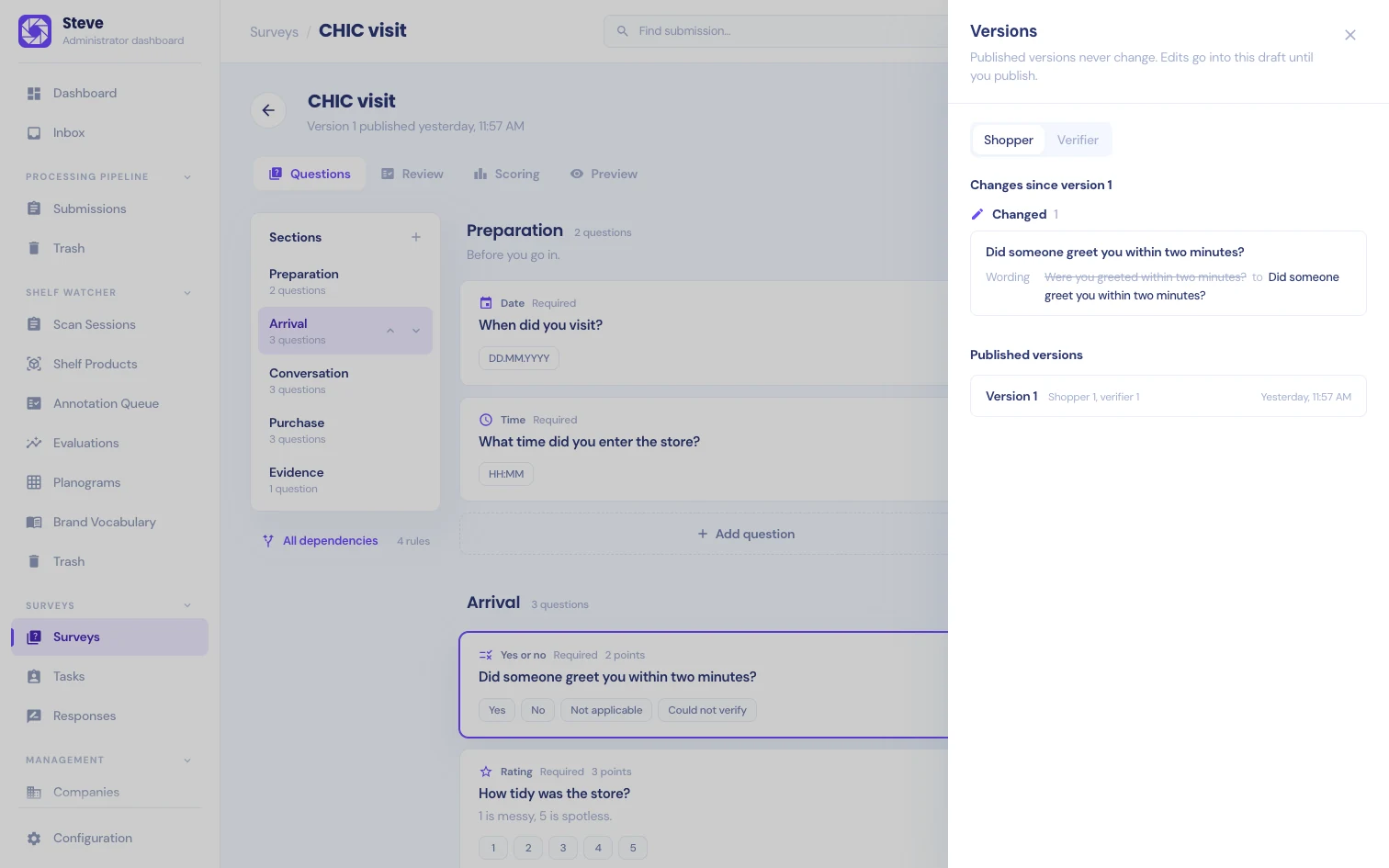
Click Versions to compare the draft with the latest published version. Pick Shopper or Verifier, then read Changes since version 1 (or the current version). Each item is marked Added, Changed, Moved or Removed. A change shows the field that changed, such as wording, required, rule, points or AI can suggest, with its value before and after. Changes to the recording settings are listed under Visit recording. Below the changes, Published versions lists every version with its date.
Visits keep their version
When you assign a visit, it keeps the version that is published at that moment. Publishing again only affects visits you assign afterwards. A field user halfway through a visit never sees the questions change.
The workflow version of every photo and receipt question is fixed at publish time too.
If someone else changed the survey while you were publishing, Steve stops and asks you to reload and check their changes before you publish.